
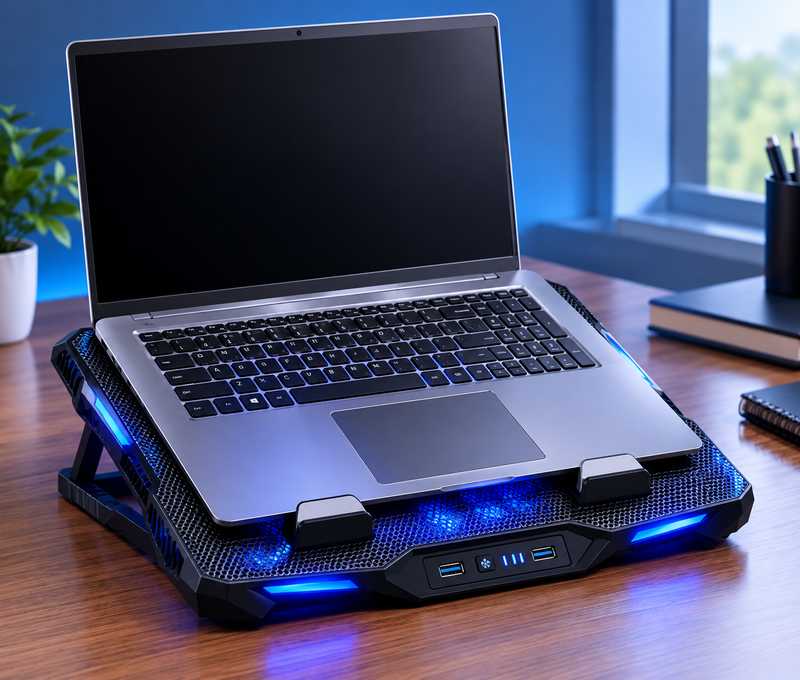
Your laptop wasn’t designed to fit on a flat desk. The bottom vents clog, the ventilation is obstructed, and the CPU begins to throttle to conserve itself. This gets fixed with the help of a cooling pad which costs less than ₹2,000.
This is not a list for the person who can afford to purchase a ₹60000 gaming laptop and can afford to buy an external cooler for ₹6000. It’s for those who want something that’s not going to cause drama, whether you’re a student or a casual gamer. Five picks, fair trade, no padding.
What a bad cooling pad looks like:
The issue with most cheap pads that are packaged fancy is tiny fans with very high RPM. That’s a loud and slow air-movement duo, compared to two larger fans. These can be identified just by the number of fans — say a ₹400 pad says they have eight fans — they are all coin-sized. Will not cool any materials.
The second bad sign is a plastic mesh surface. Plastic has a low rate of heat transfer from the base of your laptop. A metal mesh — even thin aluminium — does a much better job. You don’t need to take plastic because of the budget.
But one more thing, all of the pads here are USB powered. No extra adapter. You connect to one of the laptop’s USB ports, and you’re done. That also means that if you’re not plugged in, they’ll use up your battery, so be aware of that when you’re having a long session.
The picks:
Zebronics ZEB-NC3300 — ₹599
This is the beginning. A pair of 120mm fans, a tilt stand, dual USB passthrough port and a blue LED. Zebronics is a Chennai based brand and offers good after sales service throughout India, so that if anything goes wrong, they have the support.
The NC3300 is not quiet at high speed. The noise is heard when the fans turn to medium speed. This is important for a quiet room study session. It does not for gaming when using headphones.
Best for laptops 14-15.6 inch. When purchasing a machine, make sure the stand fits your machine, if you have a 17″ machine.
The price of the product as of the time of writing is approximately ₹599. Please check Amazon prior to purchase.
Cosmic Byte Wind RGB – ₹635
Same price range, but with RGB. Two 120mm fans, 7 colour modes and tilt stand. Cosmic Byte is the gaming accessories brand of Dram India and has established a decent name in the budget gaming field of India.
The RGB is not programmable – it is switched between modes with a button. This isn’t the best option if you’re looking for specific colours to match a setup. It’s a good value just for nighttime use under a desk lamp for a good look.
Presently selling for around ₹599-635 as per the seller. Please check for the authenticity of the product before purchasing from Amazon or Flipkart.
Zebronics ZEB-NC5500D — ₹1,299
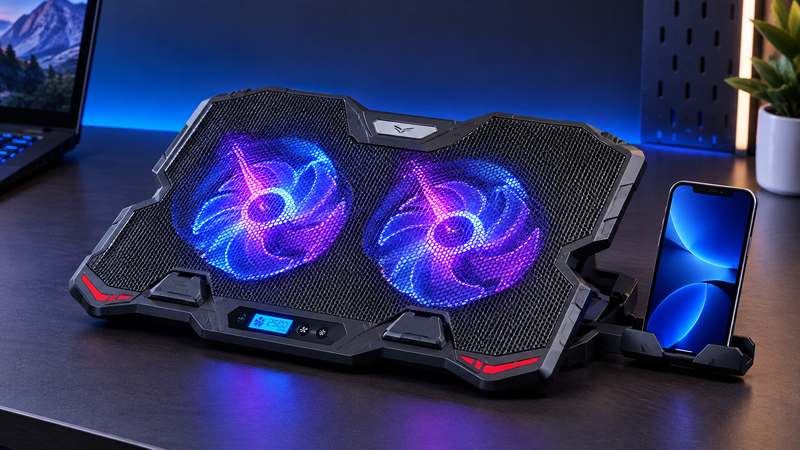
This is where it becomes more helpful. Two fans (125mm) with adjustable speed control, small display of fan speed, 5-step height adjustment stand. The height adjustment is the one which actually makes a difference for long study sessions, when you tilt the laptop to a comfortable angle, you can feel the difference in your neck and shoulders.
Another bonus feature of the NC5500D is the mobile holder, which is a handy little accessory if you use your cell phone as a second screen or as a reference source while working.
Price at the time of writing: ~₹1,299 from the official website of Zebronics. Check the price at Amazon before purchasing.
Cosmic Byte Cyclone RGB – ₹1799
Up to 17-inch laptops, RGB, adjustable speed, and 5 fans. If your gaming laptop gets really hot (which is indeed the case for the Cyclone), then the five fan spread in the base will get you a bit more coverage than the dual fan will.
Cooling results vary depending on your laptop model and where the vents are placed. Thin laptops with bottom vents will see a more noticeable drop than thick gaming laptops with side vents.
Price at time of writing: ~₹1,799. Please check on Amazon first before purchasing
Amkette EvoFox Typhoon 5 Fan — ₹1,399
5 fans (4 medium and 1 large), Total 68 CFM airflow, Solid metal construction with up to 18kg rating. Amkette is a known brand to the Indian people and the company has good service centres and they are more important than it sounds to spend ₹1,400.
The EvoFox Typhoon is the highest quality pad on this list. Does not bend when a heavy laptop is placed on it. A metal surface will be cooler than a plastic surface. If you are a gamer who leaves his machine on for hours while it is busy, this is the one.
The price is subject to change and ranges from ~₹1,399 to 1,999 depending on the seller. Please ensure that the price is current before purchase @ Amazon.
Who should skip a cooling pad entirely:
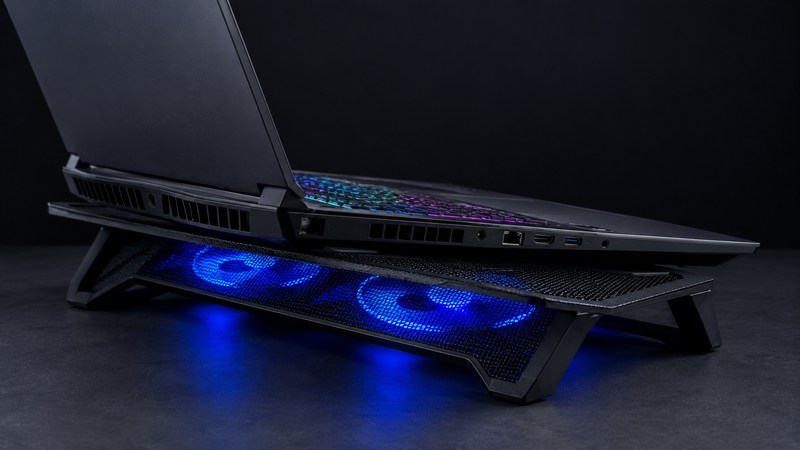
A pad that blows air from the side will help with only your laptop’s side vents if they are the only ones. A laptop stand is necessary to allow air to circulate around it, but not a working cooler.
If you have a hard flat desk to use your laptop on the majority of the time, then all you need is a passive laptop stand with a little elevation which will work about as well as a basic cooling pad. Save the ₹600.
Thin ultrabooks that students carry to college get less benefit from a cooling pad. A 1.2kg slim laptop already runs cooler by design. The additional 4-5°C decrease is a lot more significant on a gaming machine already thermal throttling.
Before you spend money
A student buying a laptop for assignments and light gaming doesn’t need to go past the ₹1,300 range. If you still have money after buying the NC3300 or Wind RGB, use it for something else that will be useful. The Typhoon or Cyclone RGB is definitely useful for gamers who want to play more demanding games for several hours per day.
Before purchasing you’ll need to make one size check, and that is if the pad fits the screen size of your laptop. The overwhelming majority of pads will allow 15.6″ or 17″ and this should be stated in the listing.
While you are still debating on what laptop you should use it with, then you can check out our guide on the best laptops under ₹60,000 for students. For those looking for more affordable add-ons, then the best headphones under ₹2,000 and the best smartwatch under ₹5,000 in India are worth considering.
Leave a Reply